The best ADHD apps in 2026
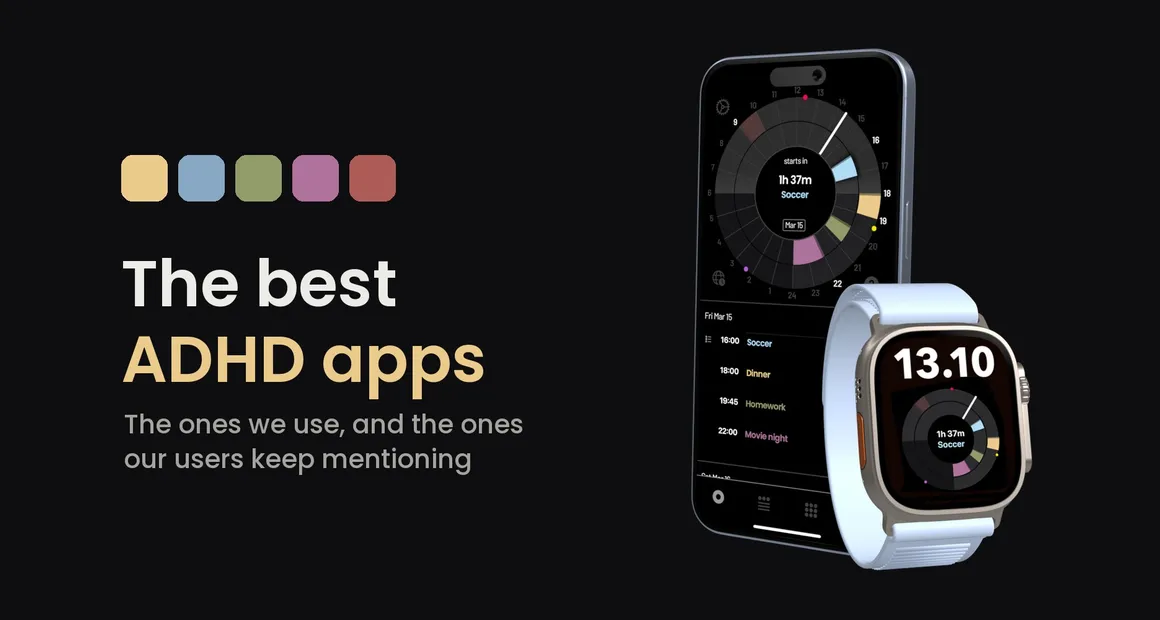
No single app fixes ADHD, and anyone who says theirs does is selling something. What helps is finding one tool for each thing that keeps going wrong: losing track of time, opening Instagram without meaning to, not being able to start, forgetting what’s due in three weeks.
This list has two parts. The first is the apps we use ourselves, every day. The second is the apps that come up again and again when we talk to people who use Weel. We have no affiliation with any of them.
The short list
| App | What it’s for | Where it runs |
|---|---|---|
| Weel Planner | Seeing your whole day at once | iPhone, iPad, Apple Watch, Android |
| one sec | A pause before distracting apps | iPhone, Android, browsers |
| Pretty Progress | Long deadlines you can see | iPhone, iPad, Apple Watch, Mac |
| Things | To-dos | iPhone, iPad, Mac, Apple Watch |
| Hey | Web, iPhone, Android, desktop | |
| Brilliant | Learning math visually | Web, iPhone, Android |
| Tiimo | Visual daily routines | iPhone, iPad, Apple Watch, Android, web |
| Structured | A timeline of your day’s tasks | iPhone, iPad, Mac, Android |
| Goblin Tools | Breaking a task into steps | Web, iPhone, Android |
| Focusmate | Working alongside someone | Web |
| Forest | Staying off your phone | iPhone, Android |
The apps we use ourselves
Weel Planner, for seeing your whole day
Obviously we are partial to this one. It’s our baby.
Most calendars show time as a list or a grid that you scroll through, and whatever has scrolled off the screen is easy to forget. Weel Planner puts all 24 hours on one dial, so the whole day is a single picture that doesn’t move. A hand shows where you are now, and the middle of the dial tells you how long until the next thing starts. It shows the calendars you already have, so there is nothing to move over.
We built it for time blindness and dyscalculia. It’s on iPhone, iPad and Apple Watch, and since this autumn on Android too, where it is still catching up with the iPhone version.
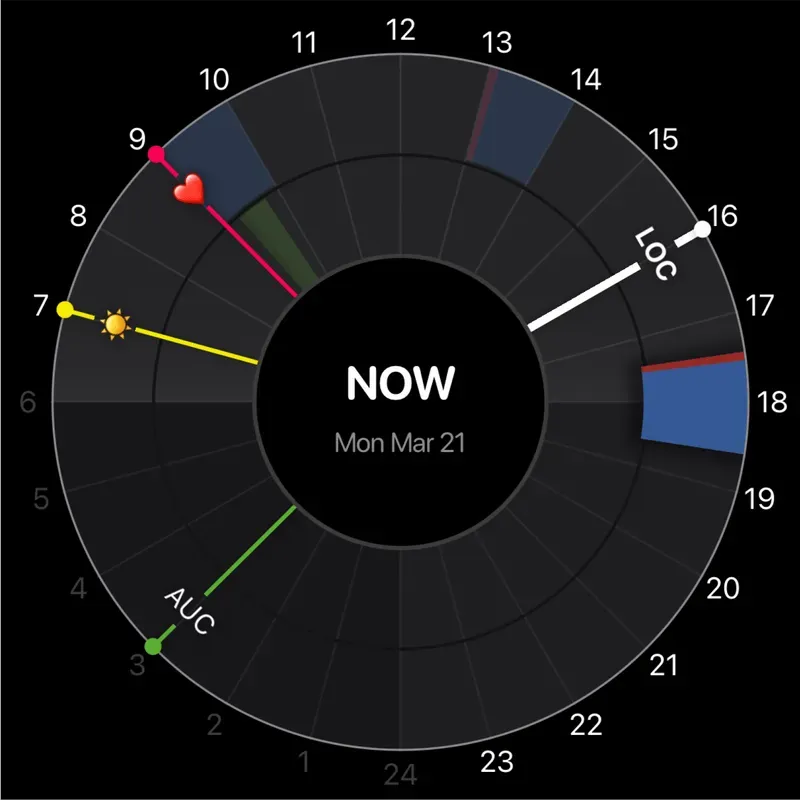
The Weel dial on iPhone, with events and time zones
one sec, for the apps you open without meaning to
one sec makes you wait a moment before a distracting app opens, and asks whether you really want to go in. It doesn’t block anything. That small pause is often enough to notice what your thumb was doing by itself. It works on iPhone and Android, and there are extensions for the big browsers.
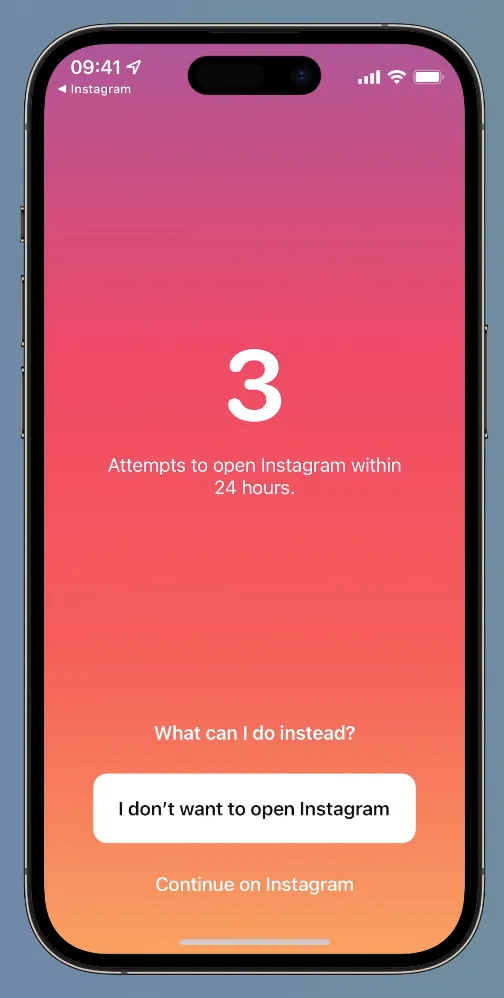
one sec counts how often you tried to open an app today
Pretty Progress, for deadlines that are weeks away
The nicest visual countdown app we’ve found. We use Pretty Progress for the long deadlines that a daily calendar doesn’t make you feel: a big project, a holiday, the end of term. A widget on the home screen shows the time left as a shape that fills up, which is easier to take in than a date. It’s for Apple devices only.
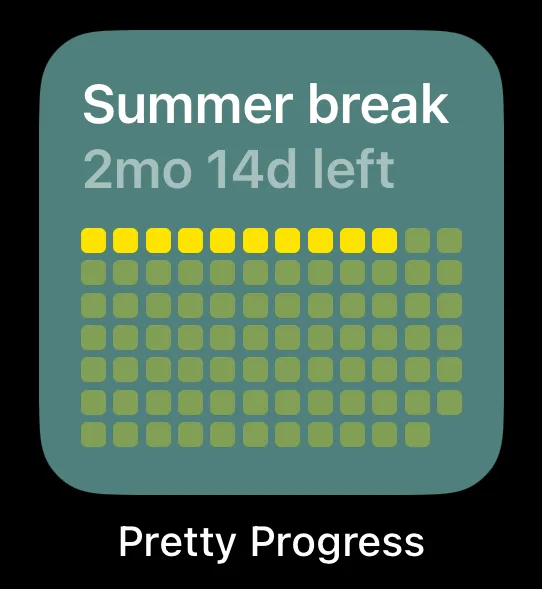
A long deadline at a glance in Pretty Progress
Things, for to-dos
Things is a clean to-do list. Here is how we use it.
Emojis as visual labels. Add an emoji to each project name, and every task in your list carries a small picture of where it belongs. You can scan the list without reading it.
Projects as contexts. A project doesn’t have to be a project. We make ones like “5min”, “outside errand” and “bank stuff”, so tasks are chunked by the situation you need to be in. When you have five minutes, or you’re already out of the house, you do everything of that kind at once.
Scheduling for later. Things is also great because you can schedule a task for a later day. It stays out of sight until then, so your inbox isn’t full all the time.
A divider for bad days. When even ten items on the list feel like too much, make a temporary task named -- (two hyphens) and drag it into the list. Everything above it is “do at least THIS today”. Everything below it can wait.
It’s for Apple devices only, and you pay once for each device type.
The one downside is that Things doesn’t put its to-dos in your calendar. Todoist does, which means those to-dos show up in Weel as well, and Todoist also runs on Android.
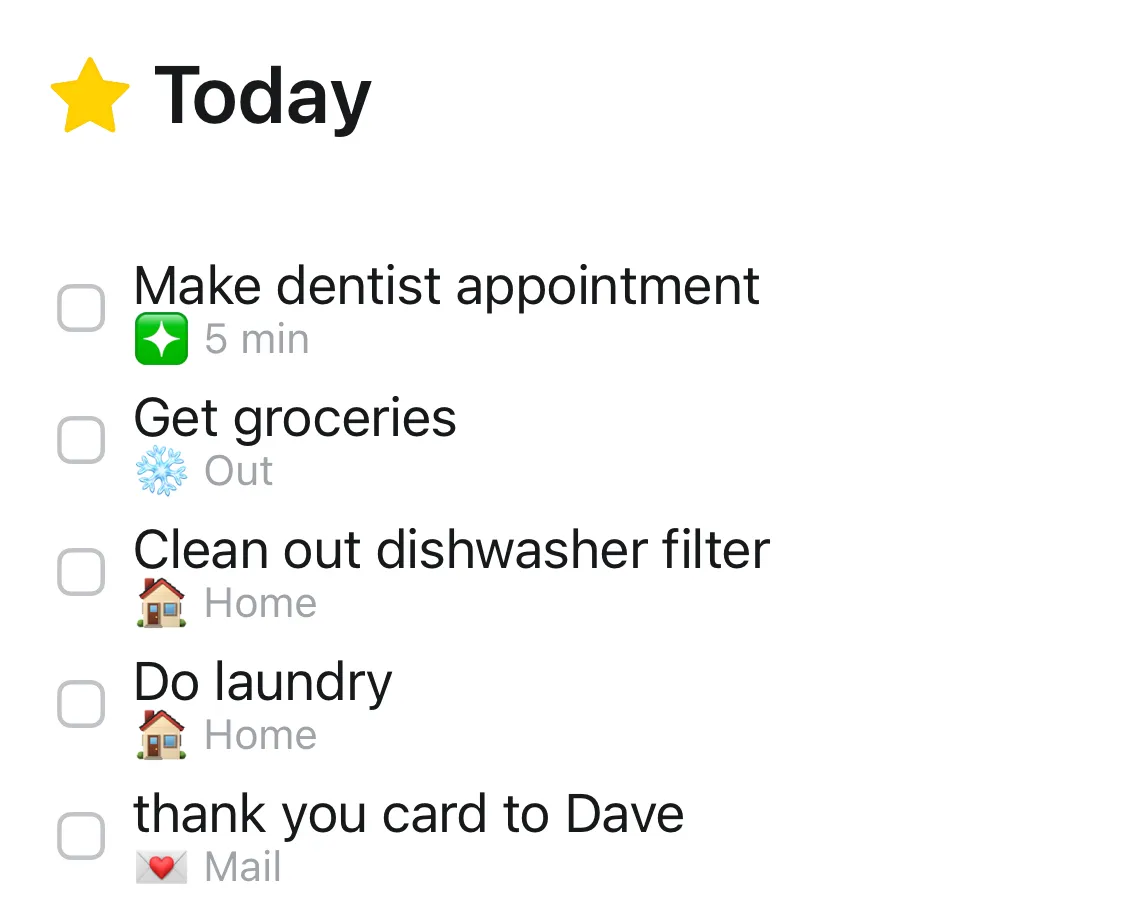
Emojis as project names in Things
Hey, for email
Hey is an email service with a few features that help a lot when your inbox is a source of dread. You decide once whether a sender gets through at all. You can set an email aside to reply to later, pin the ones with information you’ll need again, and write a note to your future self on any email, so you don’t have to reread it to remember what it wanted from you.
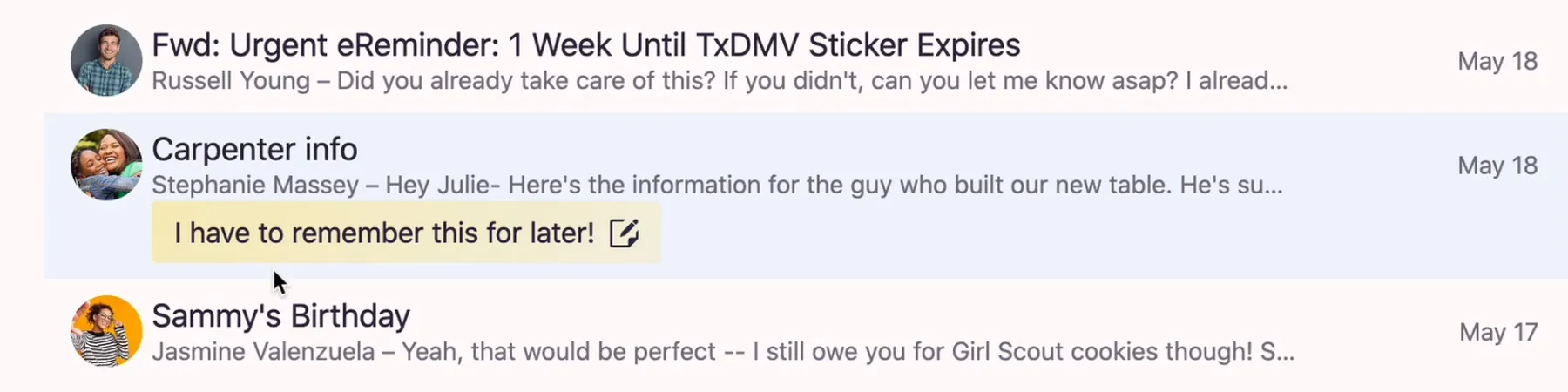
A note to yourself on an email in Hey
Brilliant, for understanding math visually
Brilliant is like Duolingo for math, and as visual as it can be. If numbers don’t stay put for you, moving a shape around and watching what changes can get further than a page of symbols. We wrote more about this in apps and resources for dyscalculia.
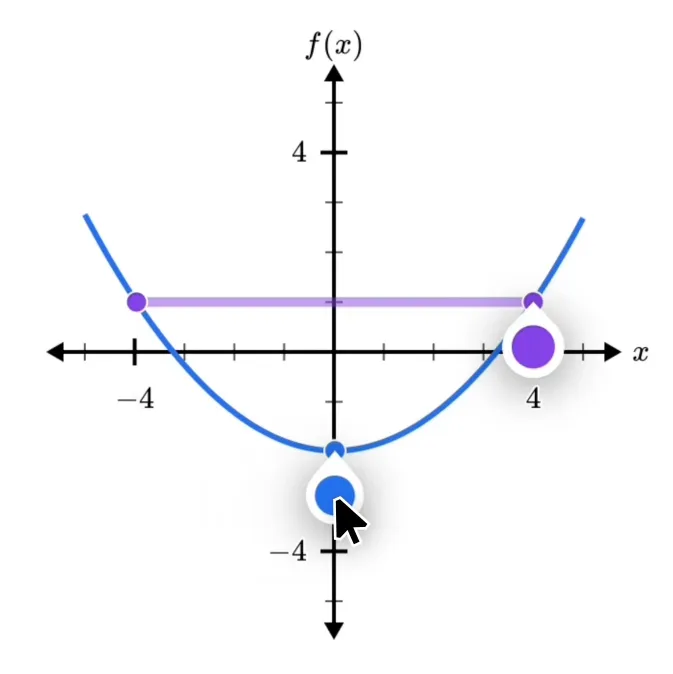
A lesson you can drag around in Brilliant
The apps our users keep mentioning
We haven’t lived in these the way we have in the ones above, so take this part as a map, not a review. They are the names that come up most.
Tiimo, for visual routines
Tiimo is a visual daily planner made for neurodivergent people: your day as a timeline of colourful blocks, with a focus timer, to-do lists and a helper that breaks a task into steps. Apple named it iPhone App of the Year in 2025. Its Android app was rebuilt this year and is still catching up with the iPhone one.
People sometimes ask how Tiimo and Weel differ. Tiimo plans your routines and tasks. Weel is a calendar: it shows the events from the calendars you already use, on one dial. Plenty of people use both.
Structured, for a timeline of your tasks
Structured also lays your day out as a timeline, with an inbox for things you haven’t scheduled yet. You drag tasks to where they fit. It is simpler than Tiimo and a good place to start if a plain to-do list never tells you when anything will happen. It’s on Apple devices and Android.
Goblin Tools, for when you can’t start
Goblin Tools is a free website with a handful of small tools. The one everyone talks about is Magic ToDo: type in a task that feels too big, and it breaks it into steps, and then breaks those steps down again if you ask. It’s the app we’d point to first for ADHD paralysis. The website is free, and there are small paid apps for iPhone and Android.
Focusmate, for working next to someone
Focusmate pairs you with another person on a video call. You each say what you’re going to do, then you both work quietly until the session ends. This is called body doubling, and many people with ADHD say it helps them start. You get three sessions a week for free.
Forest, for staying off your phone
Forest is a focus timer with a small twist: you plant a tree when you start, it grows while you leave your phone alone, and it dies if you give up. It sounds silly and it works on a lot of people. It’s on iPhone and Android.
How to choose
Start from the problem, not from the app.
- You lose track of time, or events sneak up on you: a calendar you can take in at a glance, like Weel Planner, and Pretty Progress for the far-off dates.
- You can’t get started: Goblin Tools to make the first step small, or Focusmate so someone is there.
- Your phone eats your day: one sec or Forest.
- Tasks pile up with no plan: Things or Todoist for the list, Tiimo or Structured if you need to see when each one will happen.
- Email is a source of dread: Hey.
Then add one app at a time. Five new apps on a Monday is a project in itself, and it’s usually abandoned by Thursday.
Two for fun
Flowlab lets you build games by connecting boxes with wires, with no syntax to remember. explorabl.es is a collection of hands-on explanations of all sorts of things, and a reliable way to lose a pleasant afternoon.
Prices and features change. This list was last checked in November 2026, so look at each app’s own site before you pay for anything.